
How to submit an event to Eventbrite clearly and quickly
A practical guide for readers on submitting events to Eventbrite, with step-by-step actions, pitfalls to avoid, and tips for ensuring your listing attracts atte

Submitting an event to Eventbrite is straightforward once you know where to start and what details to include. This guide walks readers through the exact steps, from creating an account to finalising your event page, using plain language and concrete examples. It also flags common mistakes and offers practical tips for improving visibility in local calendars and news outlets.
The process is largely the same whether you’re organising a small community gathering or a larger public event. You’ll learn how to choose the right category, set dates and times, and add essential information so readers can decide quickly to attend. By the end, you’ll know how to prepare content that aligns with local news needs and public-interest priorities.
To keep readers grounded, the guide includes practical checklists and a brief overview of what to avoid. It also shows how to tailor your listing for Atherton and nearby areas, making sure your event appears alongside trusted local updates. The goal is to empower you to publish confidently with clear, accurate details.
- This guide shows how to submit an event to Eventbrite with clear steps from account setup to publishing. It explains how to choose categories, add dates, and craft a description that serves local readers. It also highlights common mistakes and practical tips to improve visibility in local calendars.
- Readers will learn what information is essential, how to plan the listing for Atherton, and how to avoid common pitfalls. The approach sticks to plain language and concrete examples suitable for a newsroom audience.
- The result is a practical workflow: prepare details, create the listing, review for accuracy, and optimise for readers and local outlets. By following these steps, you can publish an Eventbrite event that is easy to find and easy to attend.
Basics and preparation
Choose the right category
Start by selecting a category that fits your event. This helps attendees find your listing quickly and improves search results on Eventbrite. If you’re unsure, pick a broader category and refine later in the description. submit an event in Atherton, California
Next, gather essential details before you begin. This includes the event name, location, date, and a concise summary. Having these ready prevents back-and-forth edits later and speeds up the submission.
A quick tip is to map out who your event serves and what makes it timely. Clear scope reduces confusion for both readers and Eventbrite reviewers.
How to start the submission

Create or sign in to an account
If you don’t have an Eventbrite account, you’ll need to sign up. Use a real email address so you can receive updates and confirmations. A dedicated organiser account keeps your listings organised. Atherton FM news
If you already have an account, sign in and navigate to the dashboard. This is where you’ll begin a new event listing and manage edits or cancellations.
After signing in, look for the Create Event button. It launches the form where you’ll enter all event details and settings, from visibility to ticket types.
Options and details
Set the event details clearly
Enter a compelling but precise event title that matches how attendees search for it. The description should explain what makes the event useful and unique within Atherton. Include date, time, and location exactly as they appear in your venue. add your business to the Atherton, California business directory
- ☐ Craft a precise title and informative description.
- ☐ Include venue details and time clearly.
- ☐ Specify ticketing options and limits.
- ☐ Add accessibility notes where relevant.
Add a schedule or agenda if relevant. This helps readers scan for specifics and decide to attend.
Consider accessibility and inclusivity notes, such as wheelchair access or live captioning, so the listing serves a wider audience.
- Choose ticket types if applicable
- Set capacity limits carefully
- Add a cover image that reflects the event
- Link to official websites only if necessary
| Option | Pros | Cons |
|---|---|---|
| Public listing | Broad reach | Requires clarity to avoid crowding the page |
| Ticketed event | Direct revenue control | Adds payment steps for readers |
| Free event | Great for community reach | Limited visibility without promotion |
Do not omit the location or date; readers rely on accuracy to decide quickly.
Pitfalls to avoid
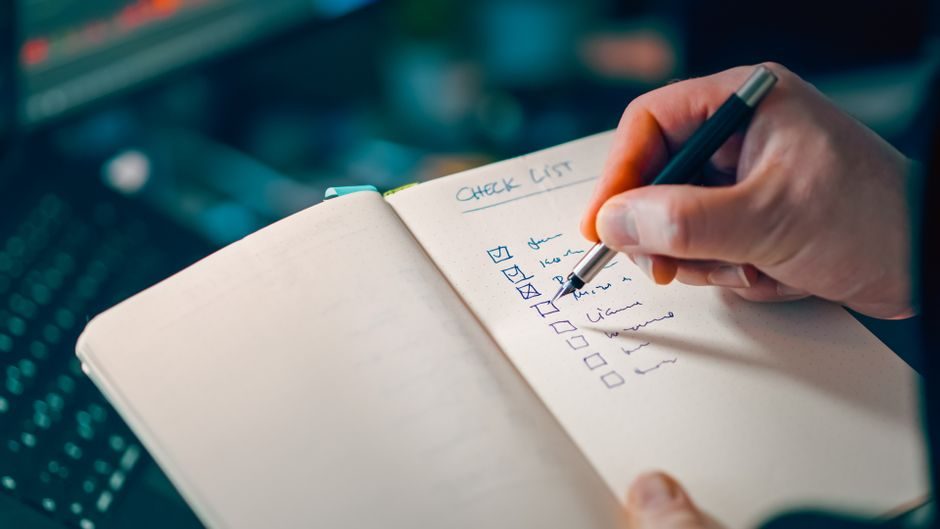
Common submission mistakes
Avoid vague titles that don’t convey the event’s purpose to readers. Ambiguity reduces clicks and attendance. Atherton, California classified ads
- Assuming categories are obvious; verify correct class is chosen.
- Underestimating the description length; more detail can help.
- Neglecting accessibility details harms reach and inclusivity.
- Repeating information in multiple fields confuses readers.
Do not omit the location or date; readers rely on accuracy to decide quickly.
Skip adding a schedule or clear ticketing info; this creates friction for interested people.
Ensure compliance with platform rules to prevent removal or suspension of the listing.
Advanced submission tricks
Optimising form fields for speed
In this section, editors explain how to prefill common fields to speed up submission without sacrificing accuracy. Real-world examples show where a short description and clear categories reduce review time. Each step focuses on reducing back-and-forth between submitter and moderator. obituaries in Atherton, California
For instance, using consistent event titles and locations helps search indexing and makes citizens immediately aware of the event’s relevance. The goal is to present essential details first, followed by specifics like time and venue.
Be mindful of the platform’s character limits and required fields; missing details trigger delays. A quick checklist ensures you have date, time, and the host contact ready before you begin.
- Use a concise title
- Pick a precise category
- Include a contact email
- Provide a meeting or venue address
Integrating Eventbrite with local media

Coordinating with reporters for coverage
Newsrooms benefit from timely event listings that align with current local topics. This subsection shows how to supply essential details a journalist would need, including a one-line hook and a short media contact. The aim is to make your submission compelling for editors and discoverable by readers.
When possible, include location context and a brief relevance note to local audiences, such as school calendars or community initiatives. Journalists value specificity, not generic statements.
Prepare a brief press-ready version of your event description, with clearly defined audience and expected outcomes. This reduces back-and-forth and increases the chance of coverage.”
- Provide a hook sentence
- Give a local relevance note
- Add a media contact
- Offer a press-ready brief
Managing multiple events
Organising a batch of listings
Large organisations often manage several events at once. The approach here is to maintain a master list with shared fields to ensure consistency across all submissions. This helps avoid mixed messaging or duplicate entries which can confuse readers.
Create a quarterly cadence for posting: plan, draft, review, publish. Automating reminders for deadlines keeps teams aligned and reduces bottlenecks.
Consider a single point of contact for the event portfolio to streamline approvals and maintain uniform language across listings.
- Use a master spreadsheet
- Synchronise dates and venues
- Assign a single editor
- Set regular review dates
Ethical posting and moderation

Standards for accuracy and fairness
This section outlines ethical practices for event listings. Accuracy of date, venue, and accessibility must be verified before submission. Moderation should reflect local sensitivities and avoid misrepresentation.
Provide a transparent host identity and clear refund or ticketing information if applicable. Readers rely on these details to make informed decisions.
When in doubt, pause publishing until a responsible reviewer signs off, especially for events with potential conflicts or sensitive topics.
- Verify key details
- Disclose host identity
- Explain accessibility options
- Avoid ambiguous language
Frequently asked questions
How do I start a submission on Eventbrite?Begin by creating a page for your event, then fill in essential fields such as title, date, venue, and organiser contact. Use a clear, specific title and a concise description to attract readers. Save progress often and review before publishing.
What details should I prioritise for local readers?Prioritise precise time and place, accessibility notes, and a short local relevance statement. Include a media contact if you expect press interest, and choose accurate categories to help readers find the event.
How can I avoid common posting mistakes?Double-check dates, venues, and host information. Use consistent naming conventions, and avoid ambiguous language or vague descriptions. Run a quick internal review before submitting.
Is it necessary to coordinate with a newsroom or mediator?Not always, but coordinating with a local newsroom can improve coverage chances. Provide a hook, a clear audience, and a media contact to make it easy for editors to use your listing.
Conclusion
The aim is to provide readers with clear, repeatable steps for submitting events that improve visibility and accuracy. The process benefits both the submitter and readers who rely on precise information to plan their schedules. A simple, well-structured listing reduces back-and-forth and speeds publication.
To make this work in practice, adopt a consistent template for titles, summaries, and categories, and maintain a small audit routine to catch errors early. The next step is to apply these practices to at least one upcoming event and review the results for improvements.
Add Birkenhead Mail as a preferred source on Google


